Include or Exclude Survey Records
Use Review Survey from Survey Hub to open the Facility Survey review workspace (table, map, and groups) and decide which inspection records to include when you export.
Complete the following steps:
-
Review inspection records. Use Include or Exclude for individual records.
-
Only included records are exported.
-
Uploads from Field Data Collector default to Include.
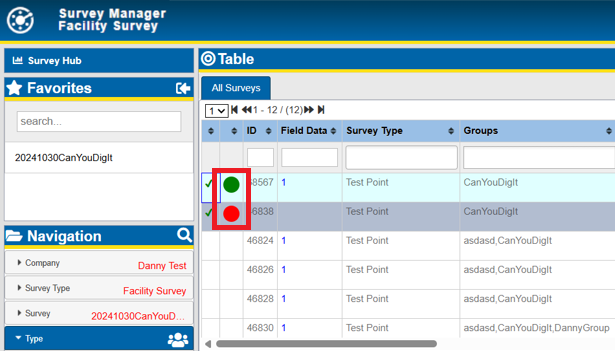
Include or Exclude Records
-
-
When ready, return to Survey Hub and click Export Survey to export included records.
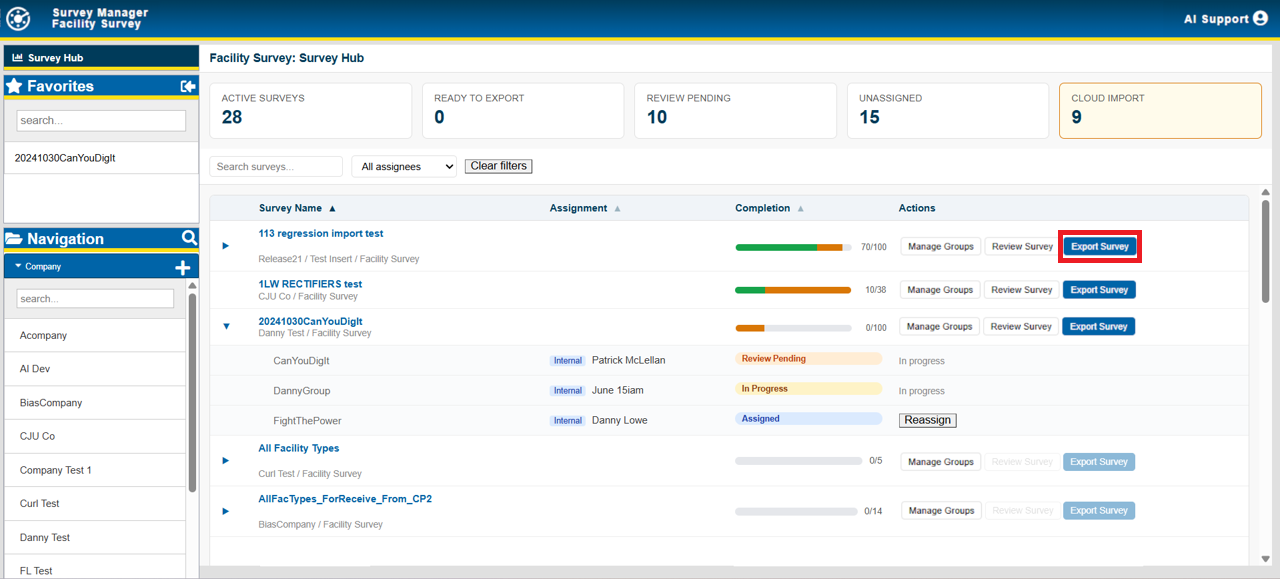
Export Survey
Resurvey
Review supports resurvey workflows, including updating existing inspections and creating new inspections with the same Field Data Collector survey.
For contractors returning work to an operator: Field Data Collector upload to your Survey Manager does not deliver data to the operator. Export Survey after review so the operator can see the readings. See Survey Hub Statuses and Completion.
For general Facility Survey review panes (table, map, groups), see also Review Survey Files. For export destinations and cloud export options, see Export Facility Survey Data.