Sidebar Buttons
CartoPac Touch's sidebar is an expandable panel on the left side of the main window. The sidebar includes three Layer buttons:
 Inquire — opens an information window with details about a point. Refer to Inquire Button for more information.
 Edit — displays feature edit buttons that can be used to edit features. Refer to Edit Button and Feature Edit Buttons for more information.
 Add New Record — inserts a new record in a selected layer. Refer to Add New Record Button for more information.
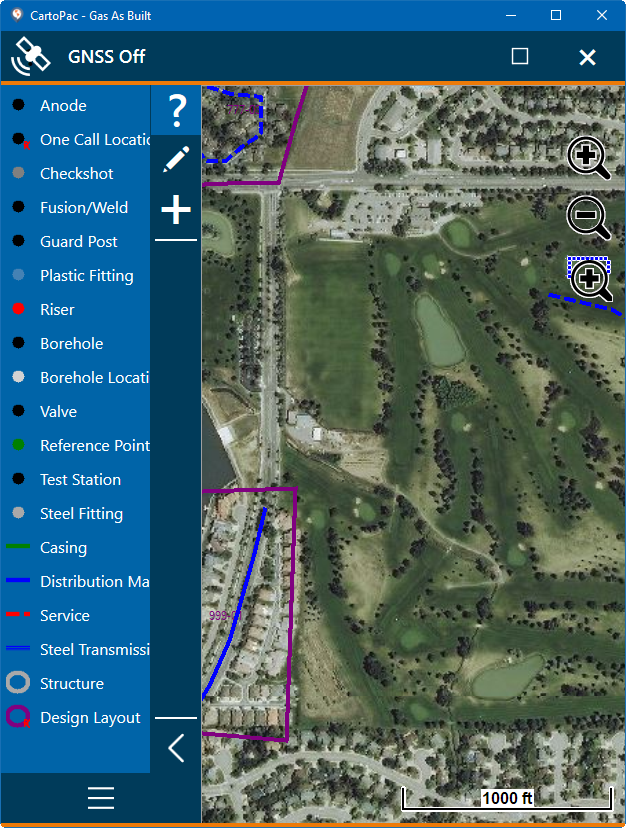
Sidebar Buttons
To expand the sidebar, tap the  button. To collapse the sidebar, tap the
  button.