Layers Sidebar
CartoPac Touch's Layers sidebar is an expandable panel on the left side of the main window. The sidebar includes all the layers that were included in the selected survey.
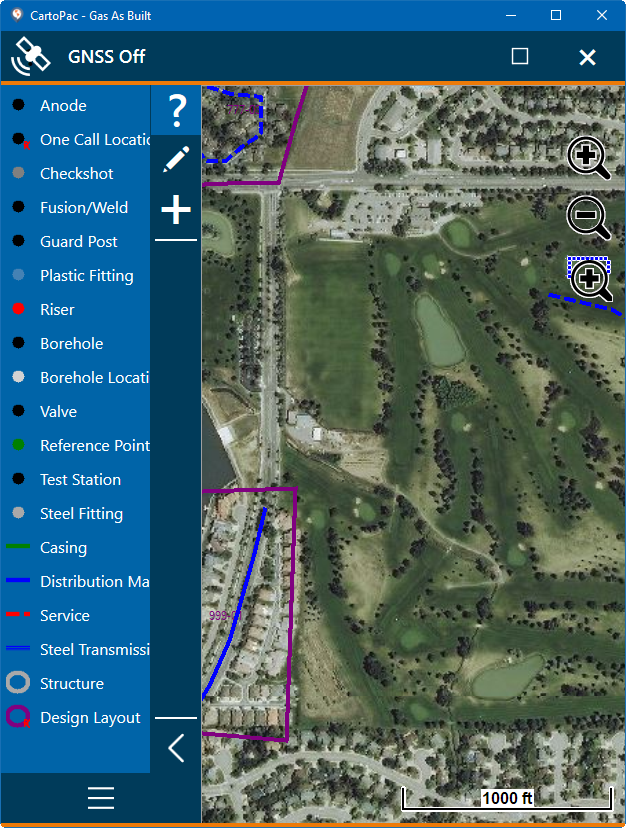
Sidebar Buttons
To expand the sidebar, tap the  Expand Layers Sidebar button. To collapse the sidebar, tap the
  Collapse Layers Sidebar button.
Also refer to Sidebar Buttons for description of the three buttons on the sidebar.