CR2700 Connectivity Issues
Windows Bluetooth may sometimes have a stale connection that may result in a failure to communicate with the CR2600 and CartoPac Mobile.
If you experience a connection issue, American Innovations, Ltd. recommend that you remove the existing connection and reestablish a new connection within Windows Bluetooth settings.
Complete the following steps to remove an existing connection and reconnect the CR2700:
-
Right click the
 Bluetooth icon on the taskbar.
Bluetooth Icon Mobile Devices
-
On the Bluetooth & Other Devices window, under Mouse, keyboard, & pen, select the Code CR2700, and then click Remove device.
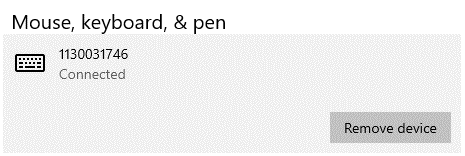
Code CR2700 Under Mouse, keyboard, & pen
-
After the pairing has been removed, re-pair the CR2700. Refer to Pair the CR2700for more information.