RM4210/RM4250 Readings Display Fields
RM4210 and RM4250 Readings (channels) display settings include the name, the measurement type, and the number of digits that will be displayed for the measurement. The display settings are listed under  Readings for all enabled channels. Refer to RM4210/RM4250 Readings Schedules for more information on how to enable a reading.
Reports and graphs that display RM4210 or RM4250 unit information and performance can be generated through the Reports menu. Refer to AC Monitoring Reports for more information.
Refer to RM4210/RM4250 Readings Schedules for more information on enabling or disabling Readings.
RM4210 and RM4250 Readings display include the following fields:
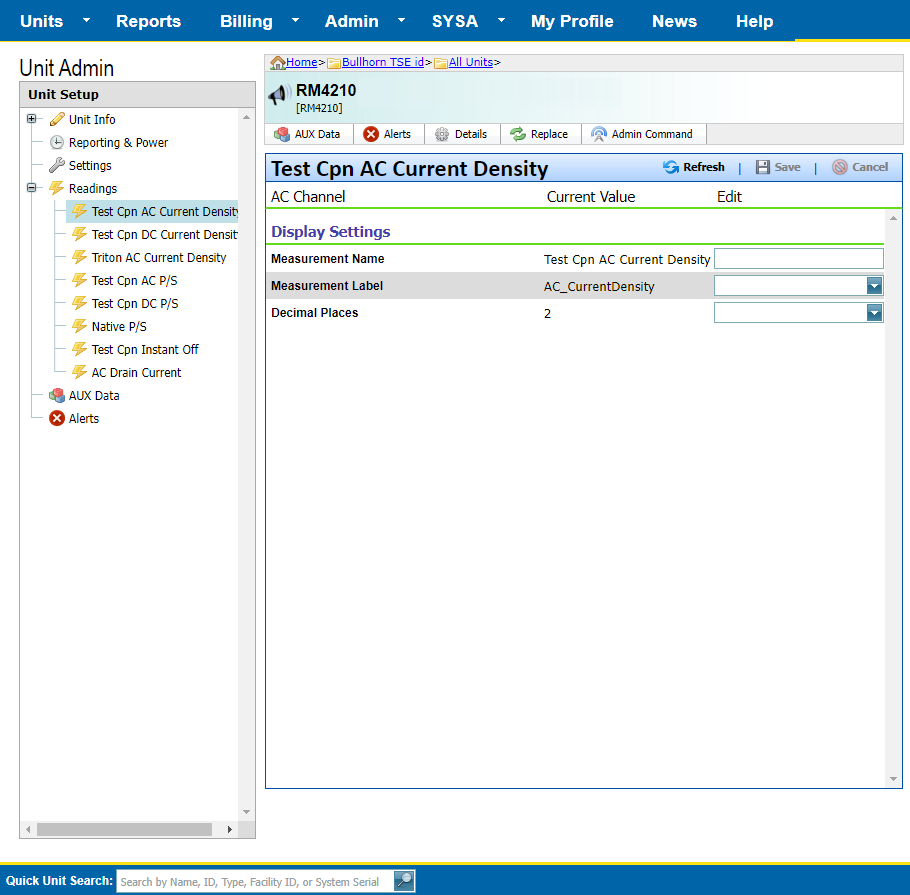
RM4210 and RM4250 Readings Display Settings
-
Measurement Name — User friendly name for the input.
-
Measurement Label — Unit of measurement, such as volts or A/m2. Users may select predefined units from the drop-down menu, or enter a custom label.
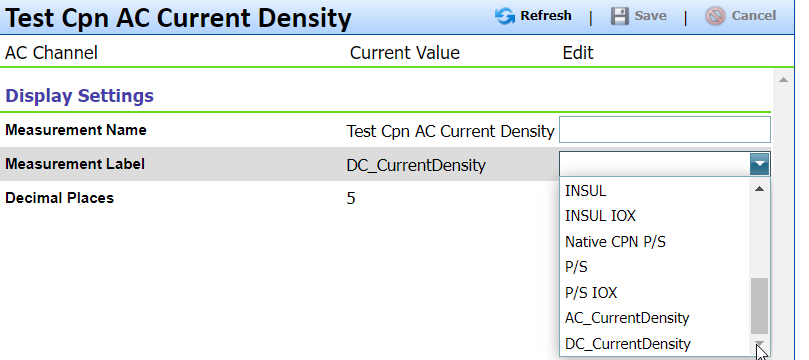
Measurement Label Menu
-
Decimal Places (for numerical values) — Number of decimals to display for the measurement.
These three field entries can be seen in the Current Value field for each enabled Reading, which is found on the Current Data tab of the Unit Detail page (click  Details to open).