Enable the GNSS Expansion Pod
After the GNSS Expansion Pod is physically installed, enable it in Android settings so PCS Field Data Collector can receive sub-meter GPS data from the pod. When the pod is enabled, FDC displays POD as the GPS source.
PCS Field Data Collector uses the GNSS Expansion Pod for sub-meter accuracy. RTK and centimeter-level correction services are not supported by FDC at this time.
Complete the following steps to enable the GNSS Expansion Pod:
-
From the home screen, swipe down from the top to open the options menu
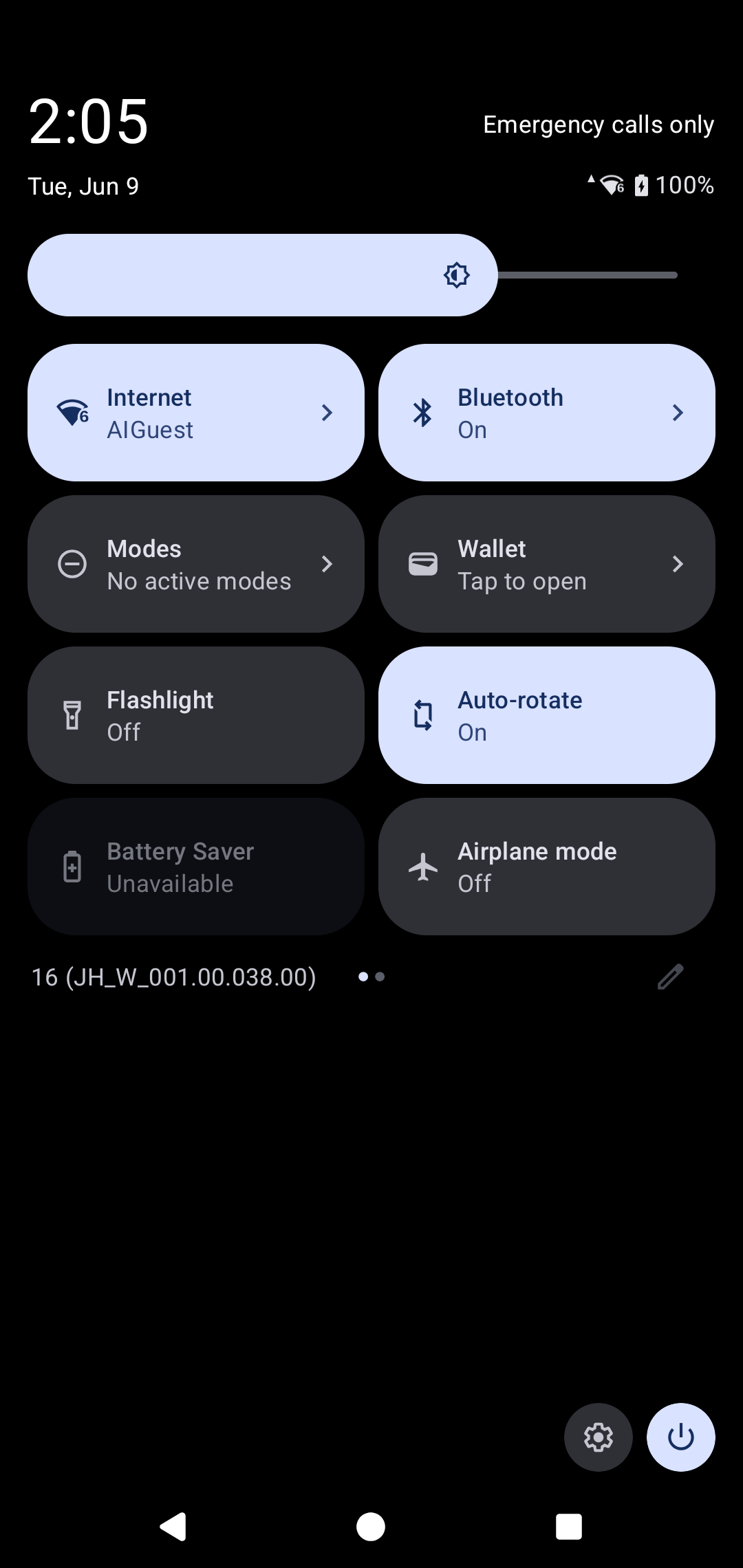
Android Options Menu
-
Tap the gear icon
 to open the Settings menu.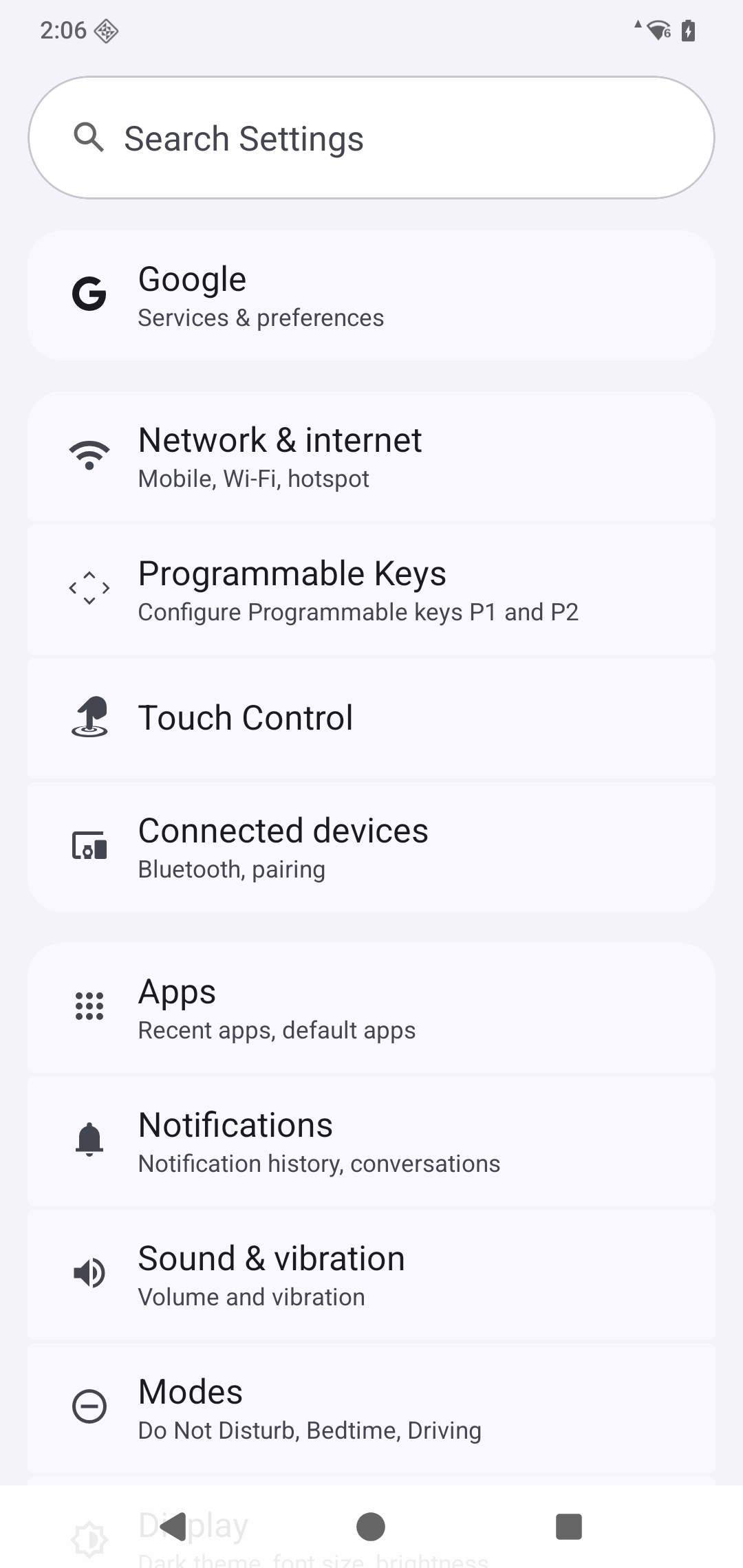
Android Settings Menu
-
Tap Connected devices, then select Use expansion.
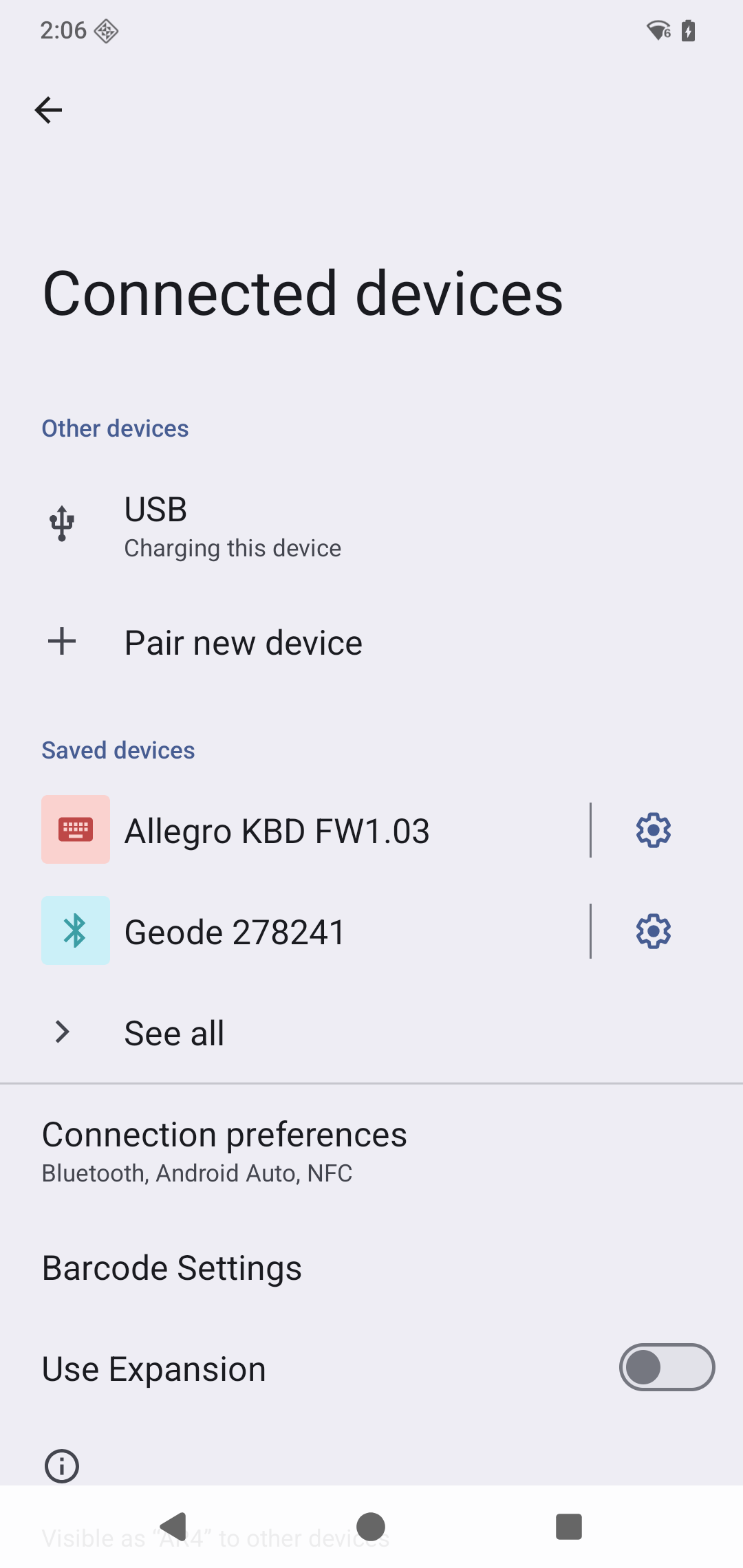
Android Connected Devices Menu
-
Tap Settings again.
-
Tap Location, then select Use GNSS pod.
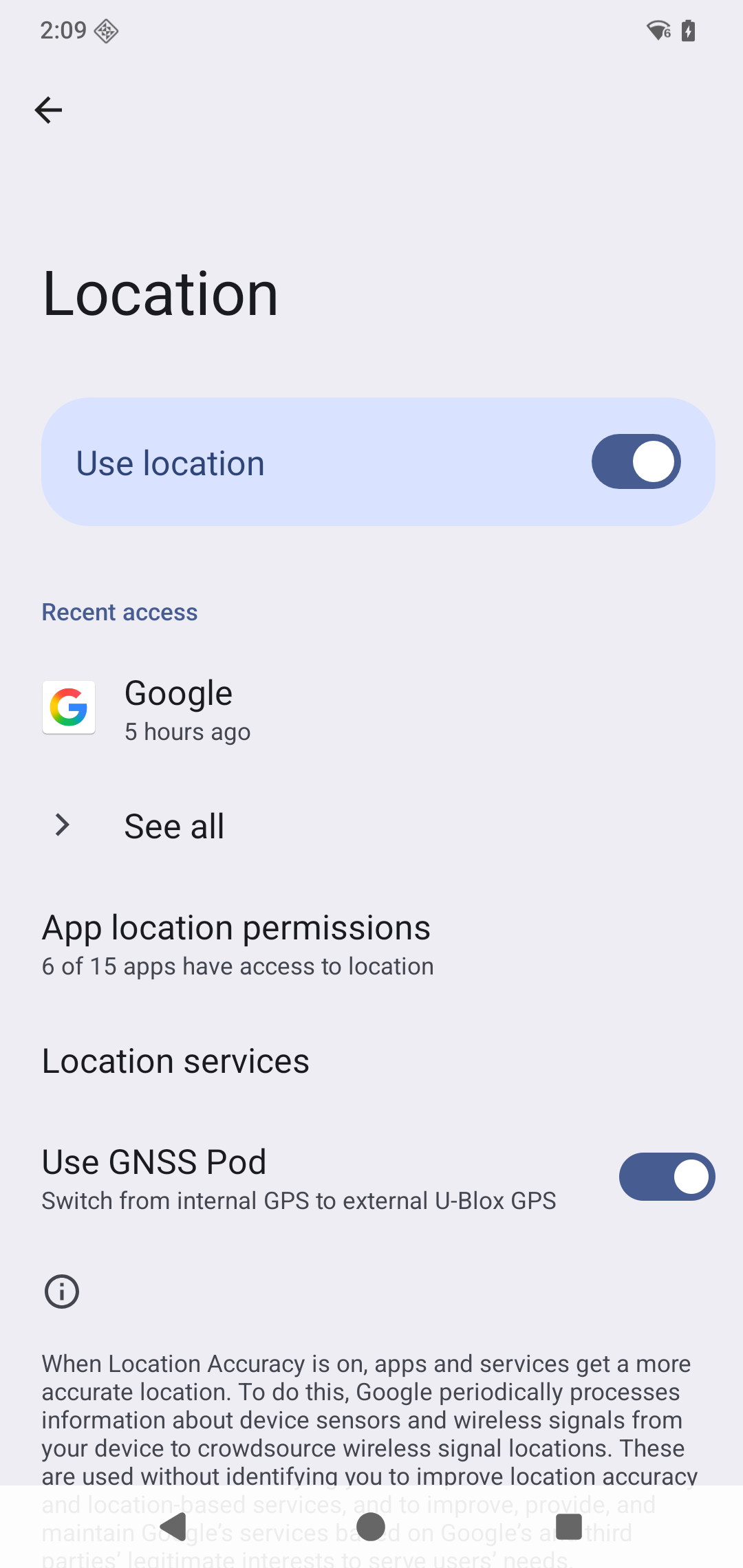
Android Location Settings Menu
-
Ensure Use Location is enabled on the Location settings screen.
The GNSS Expansion Pod is now enabled for use with PCS Field Data Collector.
Additional GNSS settings can be configured through Juniper Connect, a communication utility for the GNSS antenna. Juniper Connect is not required for PCS Field Data Collector sub-meter GPS operation.
Refer to Connect the DVM2130 to the Archer 4 if you also use a DVM2130 with the Archer 4. When the GNSS pod is enabled, FDC uses GPS data from the pod with priority over the DVM GPS source.