Reset the Last Run Date for Email Report Data
If desired, you can reset the last run/incremental date for a selected email report. If an email report's last run/incremental date is reset, the data included in the next run of the report includes the data changed between the next run time and the time the reset button was pressed. Resetting the last run date is helpful when a large amount of data was inserted into PCS, such as through a large bridge import, and you don't want the report to contain the imported data.
To reset the last run/incremental date, access the Email Reports tab of the Email Notification window.
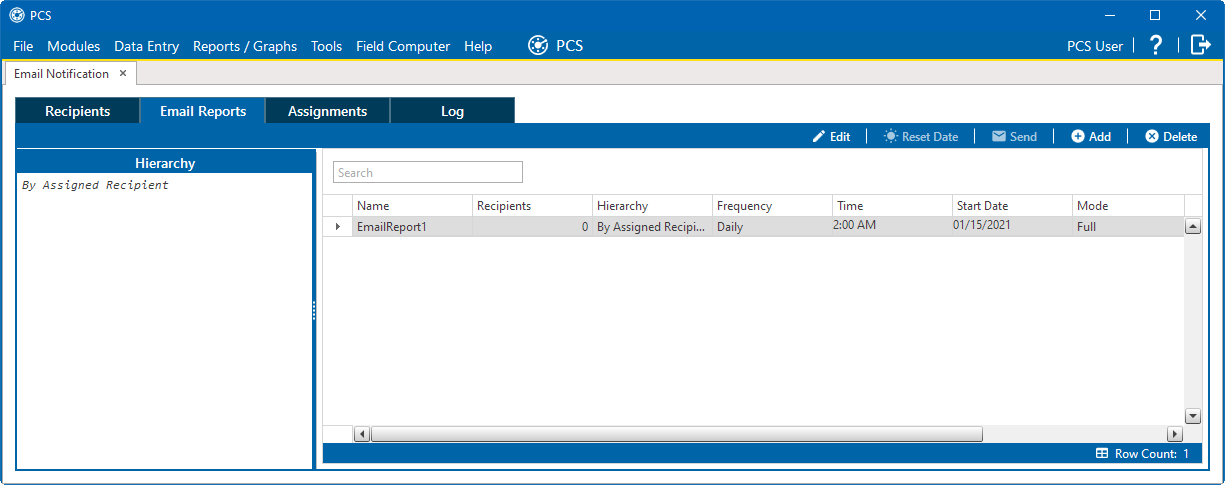
Email Reports
Select the email report from the list and click Reset Date. A job is added to the Job Service Viewer's job queue to set the current time as the new baseline for the report's data.