Delete a Facility Survey Folder
Deleting a survey folder removes all references to the survey folder throughout PCS. For example, when facility inspection records have been assigned to a survey folder you plan to delete, PCS removes references to the survey folder for each inspection record assigned to the survey folder. Inspection records are not deleted however, only references to the survey folder are deleted.
Deleting a survey folder typically occurs when you want to clean up data that is no longer needed or when a survey folder has been created accidentally. A message displays listing all facility records assigned to the survey folder allowing you to either cancel the operation or delete the survey folder.
Compete the following steps to delete a facility survey folder:
-
Click Data Entry > Facility Survey Folder Maintenance to open the Survey Folder Maintenance window.
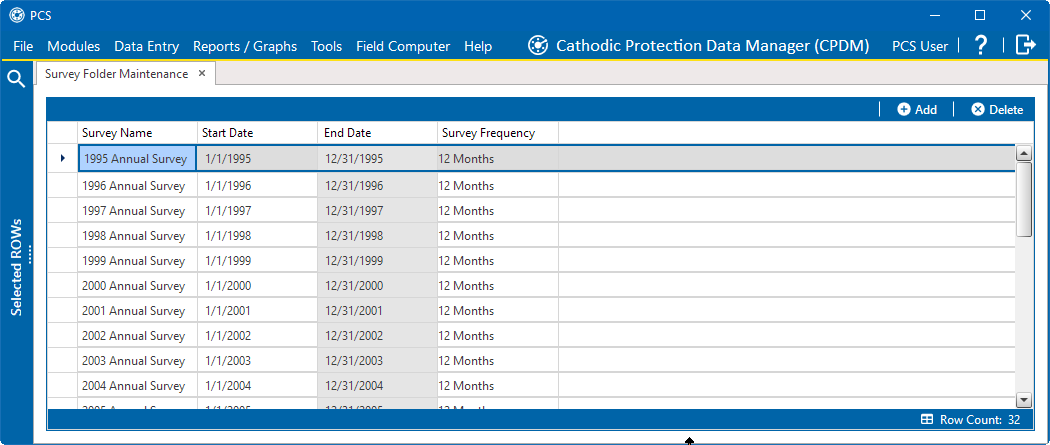
Survey Folder Maintenance
-
Select a survey folder in the grid, then click
 Delete.
 -
In the Delete message window, click
 Yes to delete the survey folder or
  No to cancel the operation.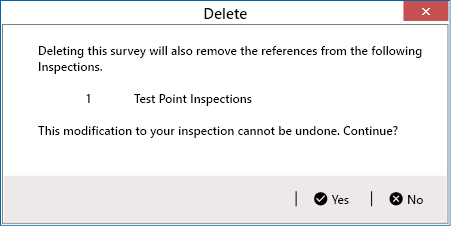
Delete Message Window
The survey folder and associated survey readings are permanently deleted from PCS.