Measure Distance Option
You can measure the distance between points on the map with the Measure Distance option.
The units of measure shown in the Measure window are defined in the Options > Units > Measurements window. Refer to Tablet Options for additional information.
Complete the following steps to measure the distance between selected points on the map:
-
Select Mode > Measure Distance.
-
Select the starting point on the map and then the ending point on the map. The Measure window updates to display the distance between the points (the points and line between them are shown in red in the following example).
-
You can continue to add points by selecting new points on the map. The Distance window updates the total distance from the first point to the last.
-
Select Clear in the Measure window to clear the drawn line. Repeat as necessary.
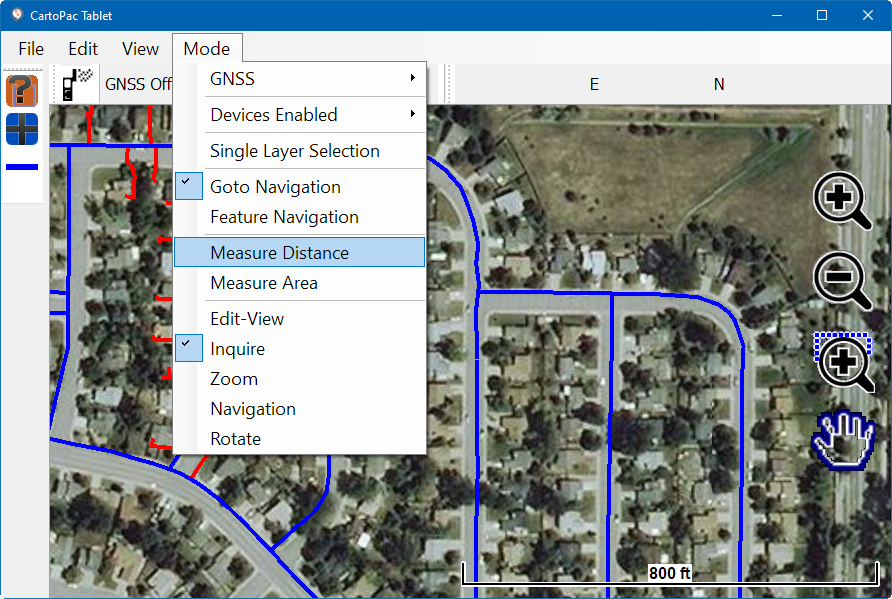
Mode Menu - Measure Distance
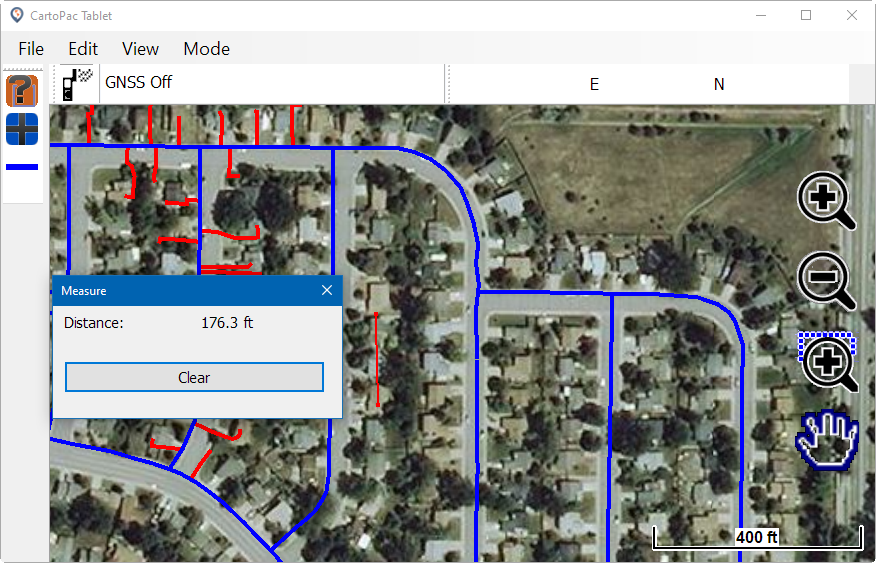
Distance Between Two Points on Map
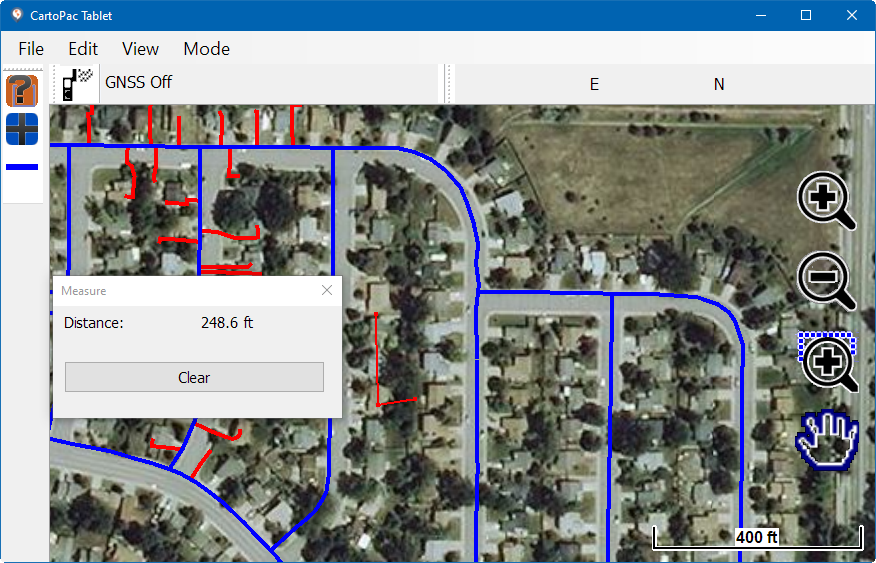
Distance Between Three Points on Map