Edit or View Features
The Edit-View option displays edit tools for feature editing and review.
Complete the following steps to view the edit tools that can be used to edit features:
-
Select Mode > Edit-View.
-
 Previous Vertex
 -
 Insert Vertex
 -
 Select Vertex
-
 Snap Vertex
 -
 Select Feature (icon reflects type of layer that is currently selected - refer to Selecting a Layer to View for more information)
 -
 Move Feature (icon reflects type of layer that is currently selected - refer to Selecting a Layer to View for more information)
 -
 Rotate Feature (icon reflects type of layer that is currently selected - refer to Selecting a Layer to View for more information)
 -
 Next Vertex
 -
 Delete Feature (icon reflects type of layer that is currently selected - refer to Selecting a Layer to View for more information)
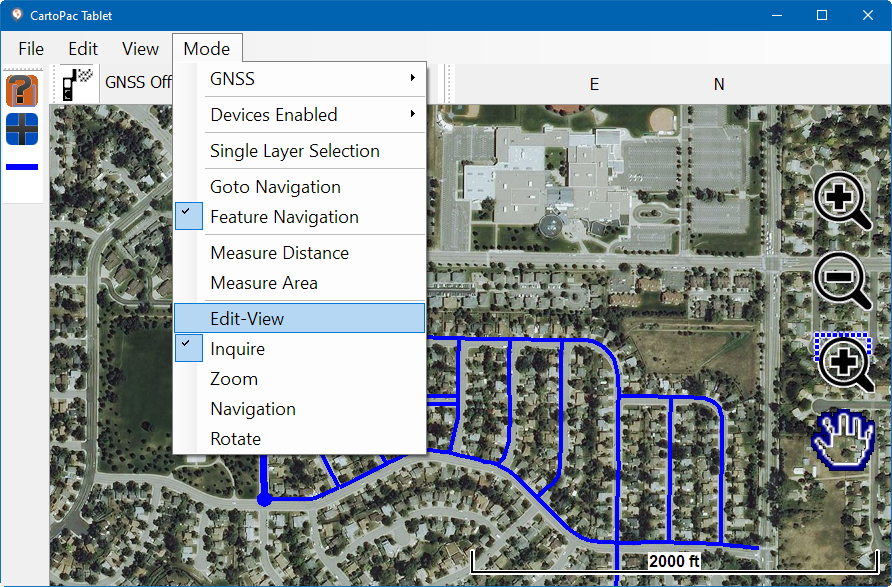
Mode Menu - Edit-View
The edit and view toolbar displays on the left side of the map.
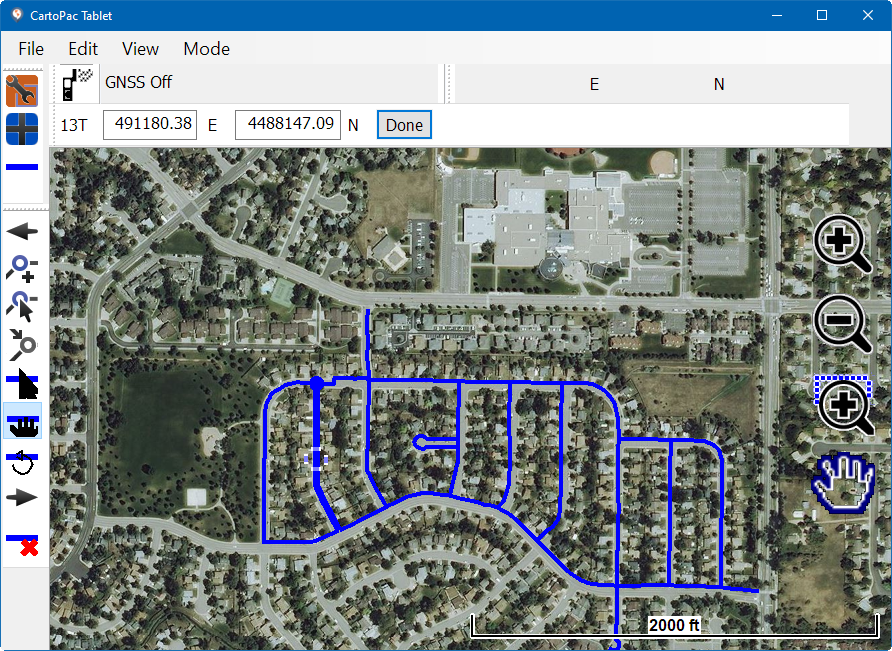
Edit and View Toolbars
The toolbar includes the following tools: