RM510C/RM510S Battery Replacement
Use only American Innovations 3.6 V 2.8 Ah Lithium-ion re-chargeable batteries (part number 370254-000) in RM510C/RM510S units.
Units ship with a Lithium-ion backup battery installed inside the RM5 Series dome. Follow these steps to replace the installed backup battery.
 Turn off power from field wiring before performing the battery replacement procedures.
-
Disconnect the M8 communication cable and remove the RM5 Series dome from the install location.
-
Place the RM5 Series dome face down on a firm, flat surface and remove the six Phillips-head screws located along the sides of the dome enclosure.
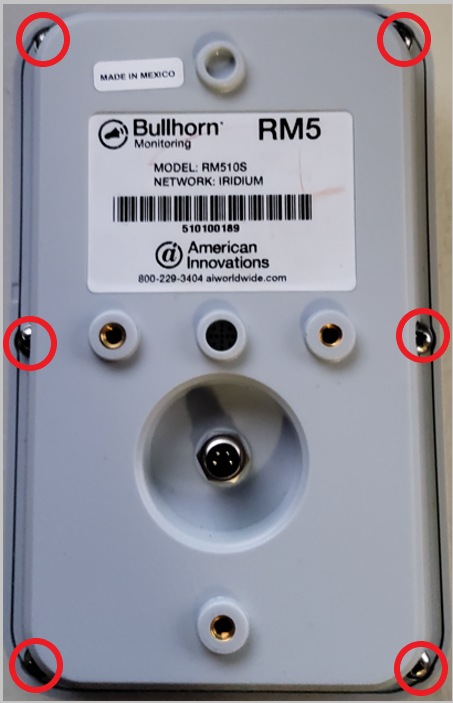
RM5 Series Dome
-
Remove the RM5 Series dome enclosure cover and set it aside.
-
Locate the Lithium-ion backup battery inside the RM5 Series dome. If necessary, rotate the dome enclosure until the battery is along the top edge.
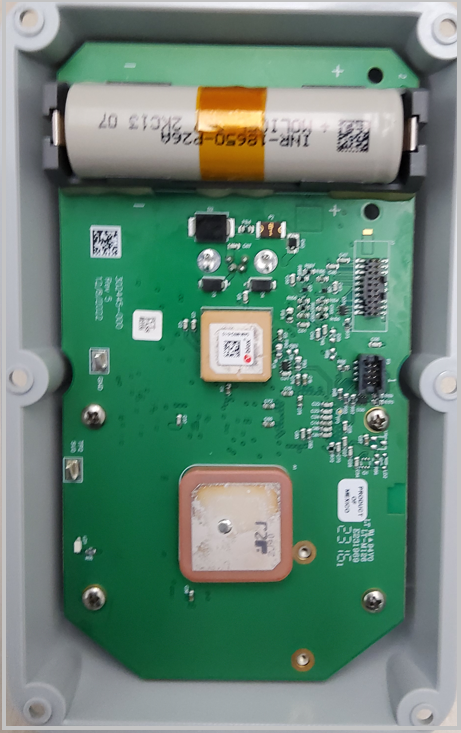
Lithium-ion Backup Battery
-
Using the plastic tab, remove the Lithium-ion backup battery from the battery bracket.
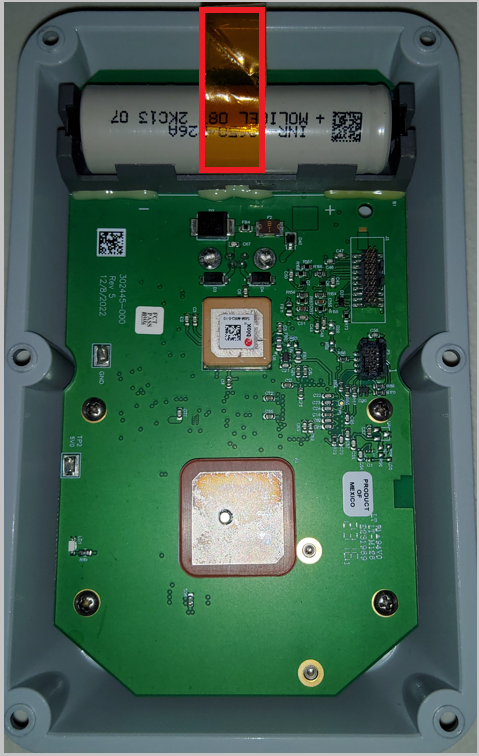
Plastic Tab and Battery Bracket
While it is still in the bracket, it may be necessary to roll the Lithium-ion backup battery toward the center of the circuit board to expose the end of the plastic tab.
-
Insert a new Lithium-ion backup battery into the battery bracket, making sure to match the positive
 pole of the battery with the positive indicator on the circuit board.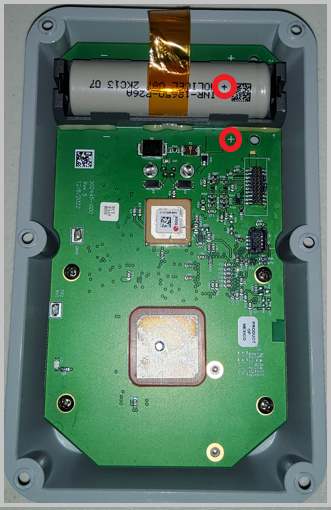
Positive Indicator on Battery and Bracket
-
Reconnect the RM5 Series dome enclosure cover, ensuring the gasket is in place and the foam insert aligns with the battery.
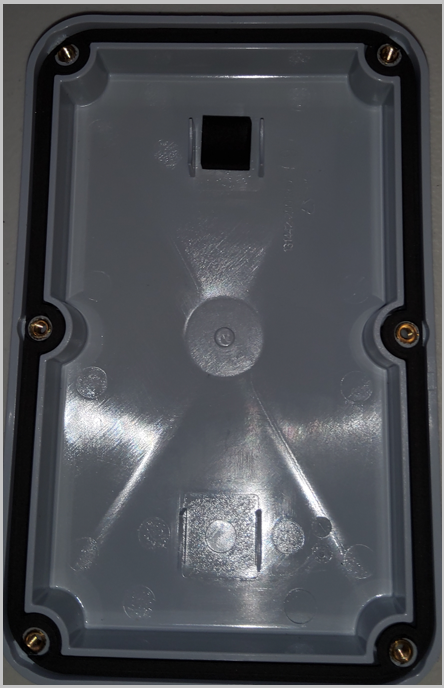
RM5 Series Enclosure Cover
-
Hand tighten the six screws to secure the enclosure cover.
Contact sales@aiworldwide.com for additional information about purchasing replacement batteries.