Filtering a Run Time View Report
Complete the following steps to filter data in the Run Time View:
-
Select a Run Time View from the View drop-down field. The Run Time report generates.
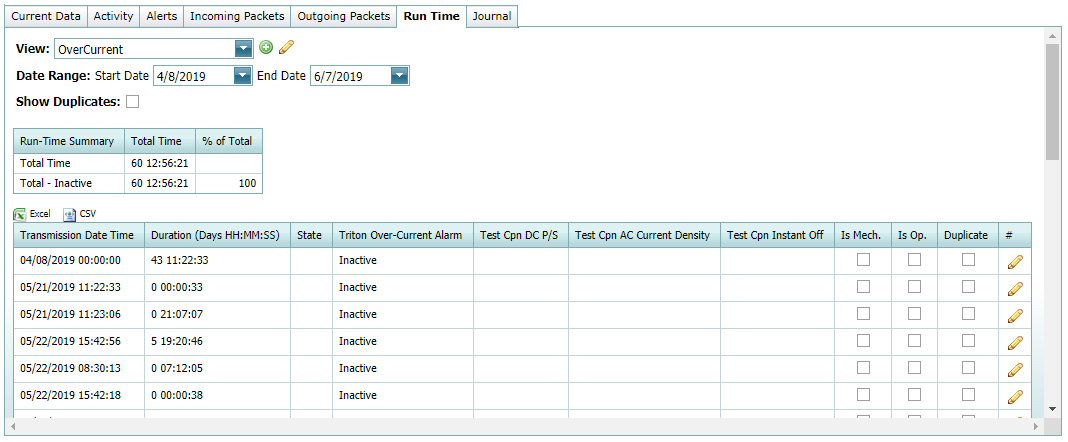
Run Time View Report
-
Within the report table, click
 in the row of a run time entry to display the available filters, which then can be used to sort the entries.
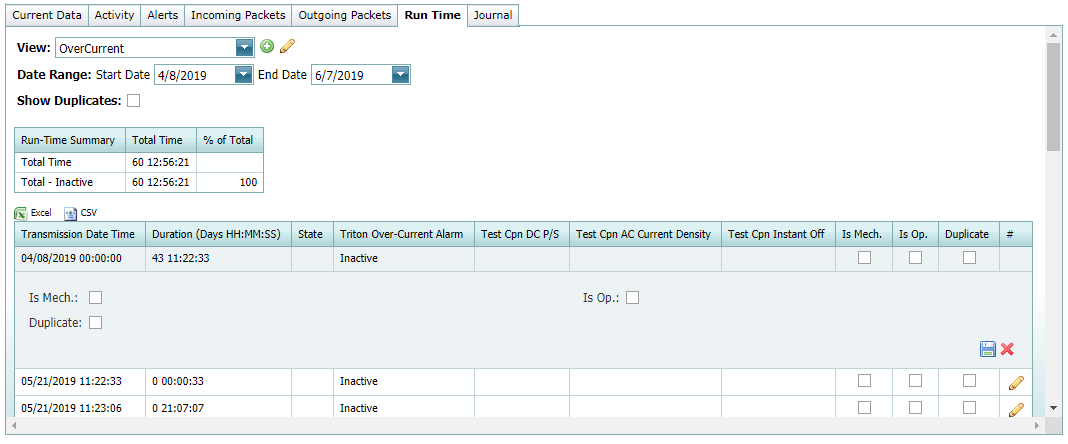
Filtering the Run Time View Report
-
Select one or more of the filters as needed:
-
Is Mech — select this filter when equipment downtime is due to mechanical reasons.
-
Is Op — select this filter when equipment downtime is due to operational reasons.
-
Duplicate — select this filter to exclude up or down time in total run time calculations. This filter also hides data in run time view.
-
-
Click
 to save changes or
  to cancel changes and close the filter window.