Replace a Unit With Another Unit
Complete the following steps to replace a unit with another, similar unit:
-
From your landing page, such as All Units, navigate to the unit to be replaced.
-
Click the Settings icon
 next to the unit name.
-
Click
 Replace.
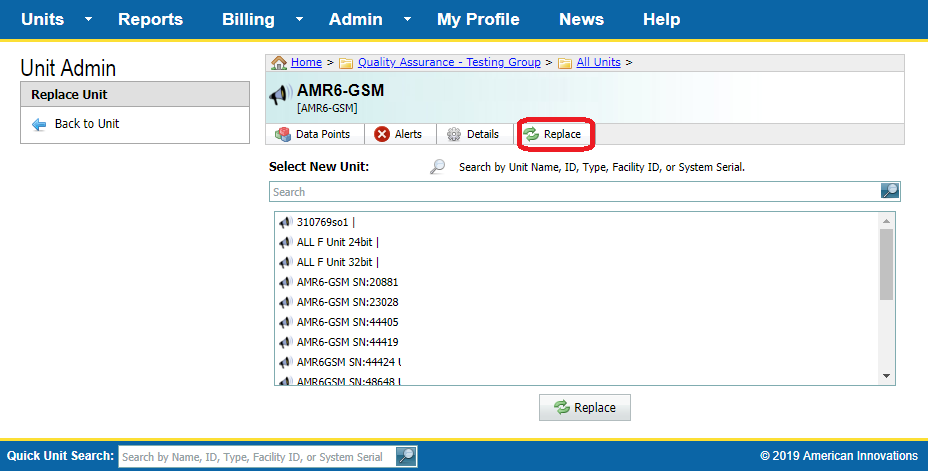
Replace Unit Pane
-
In the Select New Unit field, select a unit that will be replacing the current unit from the list shown in the pane below the field. You can also search for the unit by entering a unit name, ID, type, Facility ID, or system serial number in the field.
-
Click
Replace.
Currently you can only replace RM5 Series units with other RM5 Series units.
Replacing an RM5 I/O 4
Replacing a RM5 I/O 4 module in Bullhorn Web does not require any action from the user. The new I/O module is automatically detected by the RM510C/RM510S and the new I/O module serial number is updated in Bullhorn Web.