Export a Periodic Survey
A Periodic Survey can be exported for file-based transfer into your compliance database of record.
Complete the following steps to export a survey from your device:
-
Open the PCSField Data Collector app on the mobile device.
-
Tap Periodic Survey from the home window.
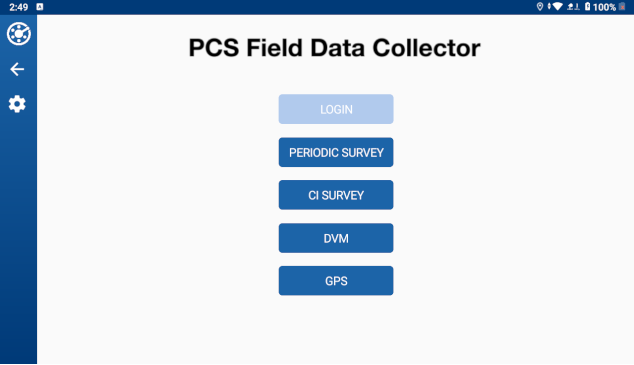
PCS Field Data Collector Home Window
-
Tap the Options menu for the survey you want to upload.
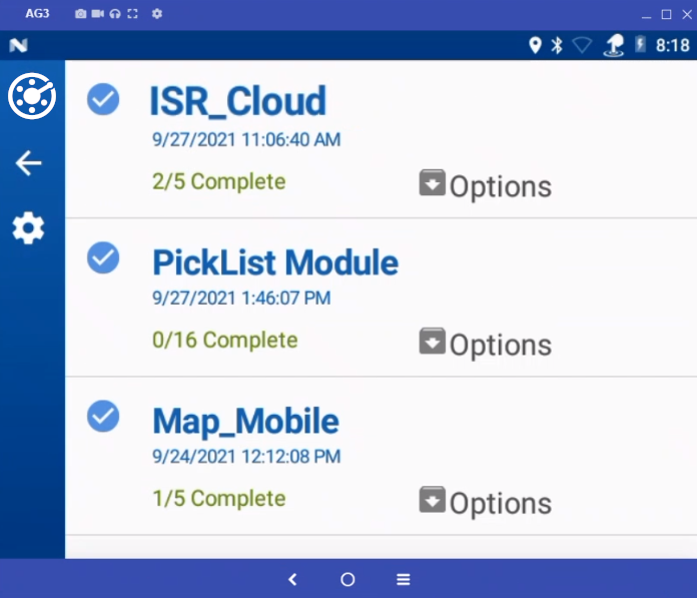
List of Available Surveys
-
Tap Export Survey.
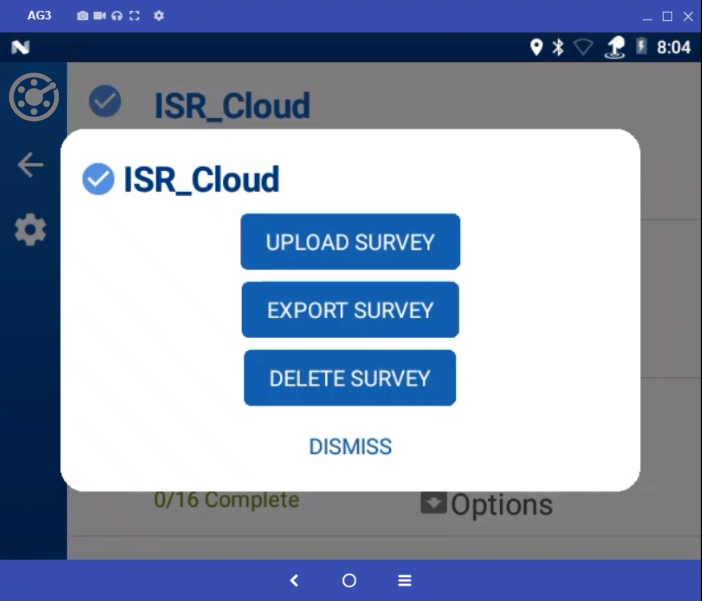
Survey Option Menu
-
Tap Export in the prompt.
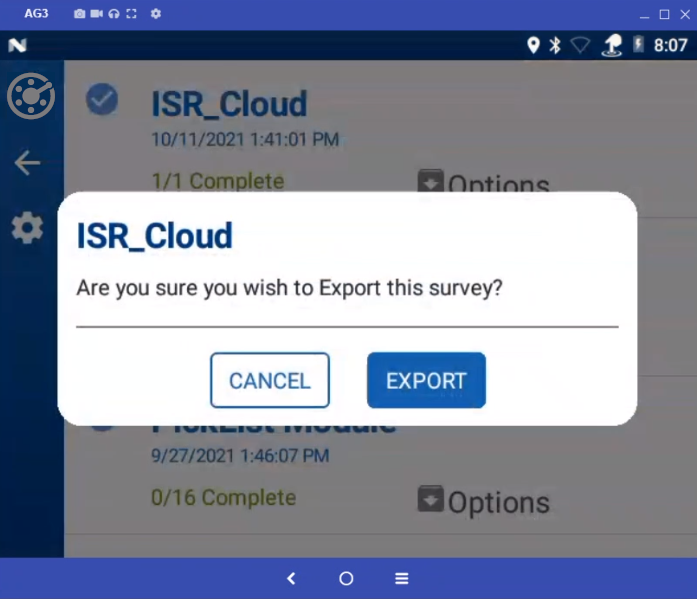
Export Confirmation Prompt